

The date controls at the top of the Dashboard set the reporting period for the selected Meta account and ads.
Use a preset
Choose Today, Yesterday, 7 Days, 14 Days, 30 Days, or 90 Days for a quick view. The highlighted button is the current selection.

Choose a custom range
- Select Custom to open the calendar.
- Pick a start and end date, or choose one of the available Quick options such as this month or last month. Available options depend on your data.
- Check the Current period dates and select Apply.
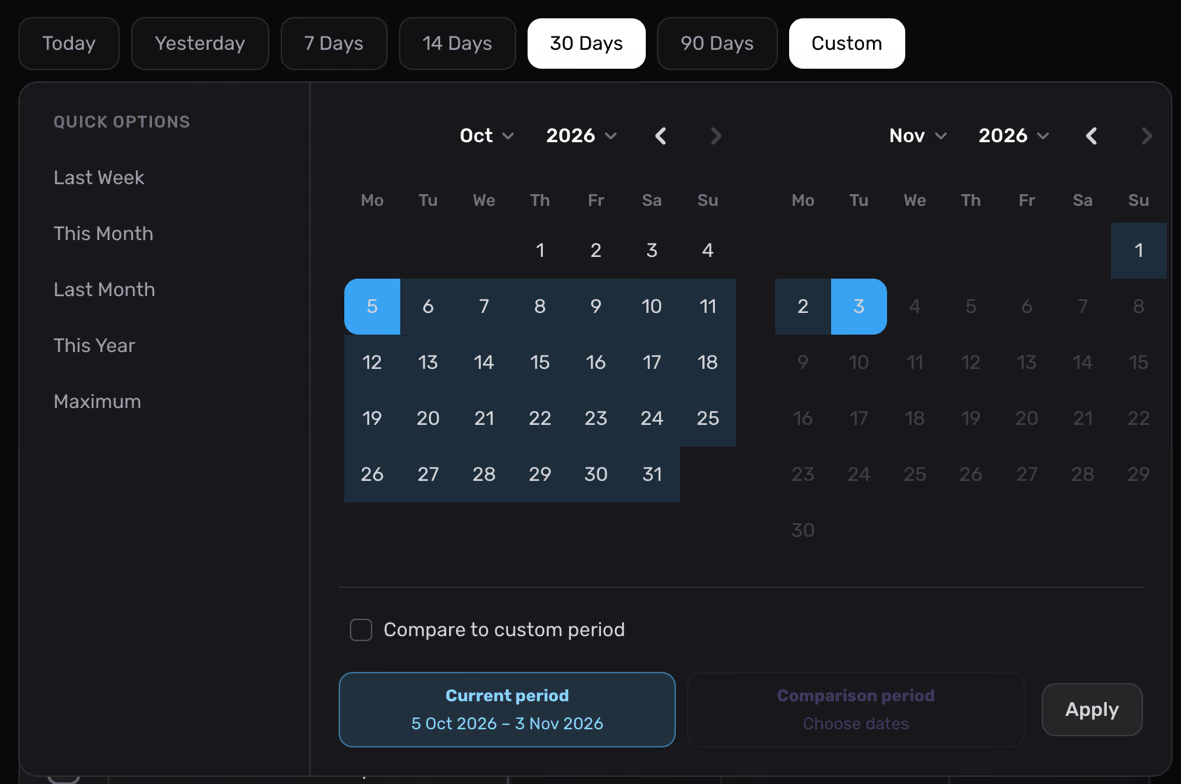
Compare another period
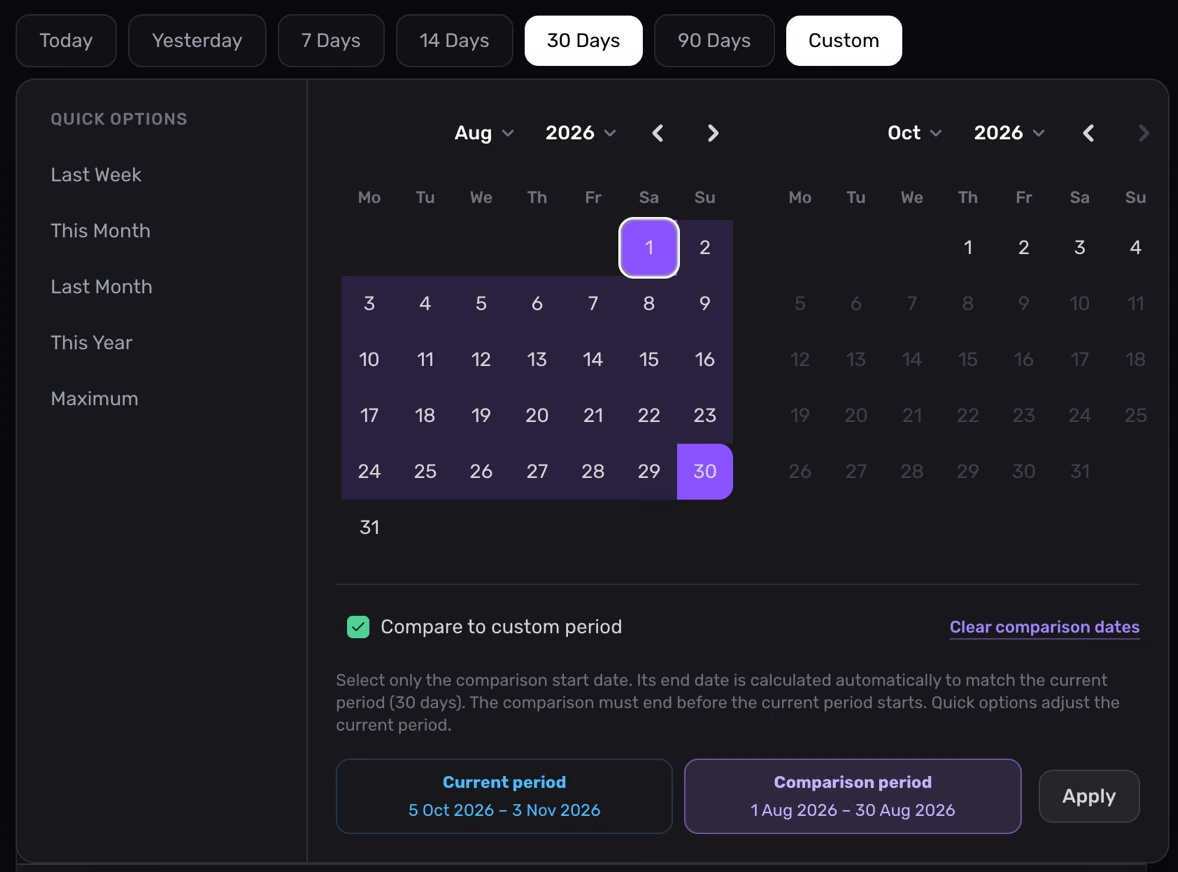
By default, the comparison uses the previous period of the same length. To choose another period, open Custom or select Set custom period beside the chart's comparison switch:
- Enable Compare to custom period and select Comparison period.
- Choose the comparison start date. AdOptic calculates the end date to match the current period's length; the comparison must end before the current period begins.
- Select Apply. Use the comparison switch in Performance to show or hide the comparison.
Choosing a date preset clears the custom comparison. Explore the chart and its comparison lines →